Be Like Tony Stark with Claude Code — How I Built Myself a Remote Development Environment
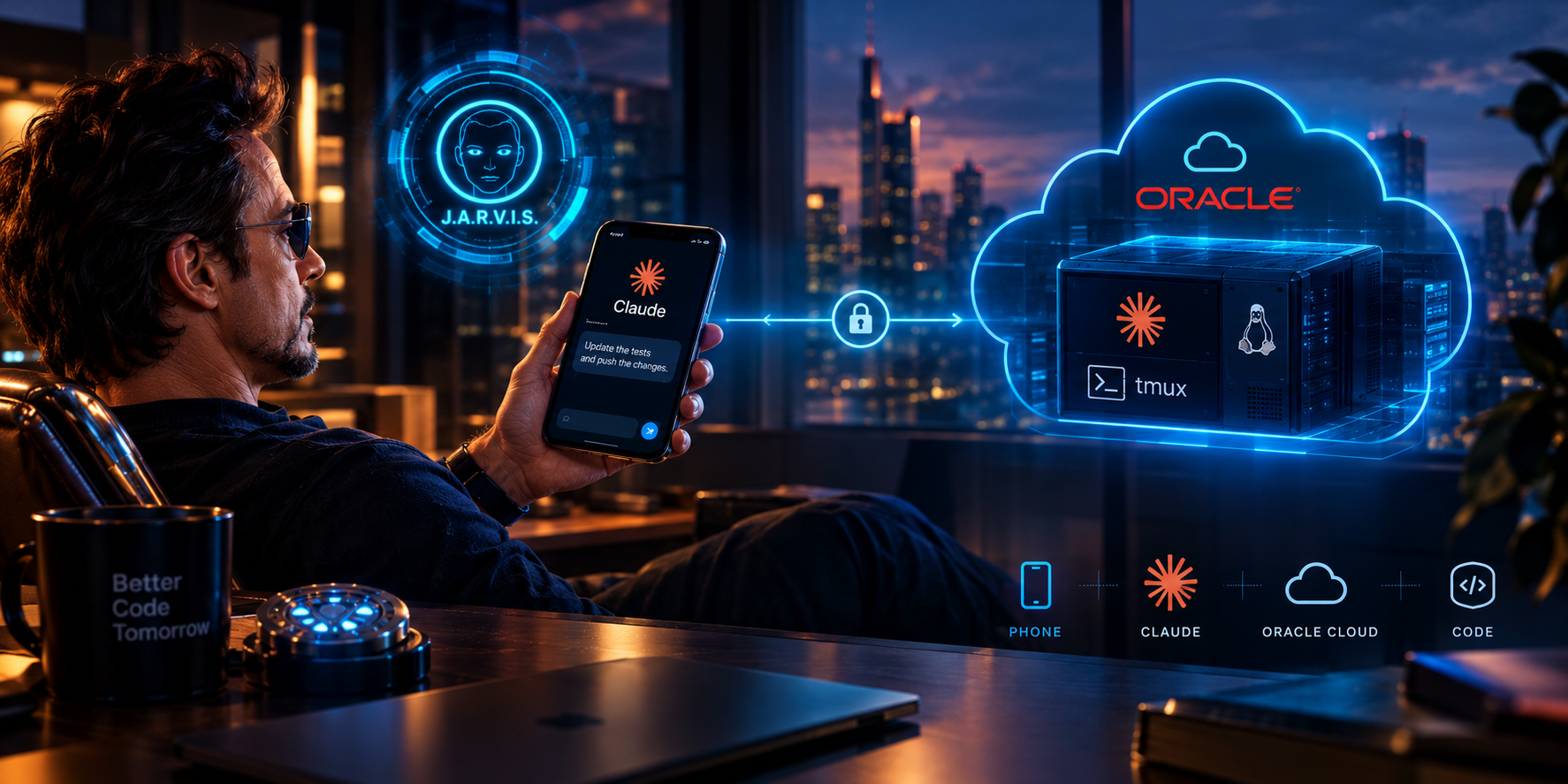
Ideas for code changes don't only come when I'm sitting at my desk. They come at the cinema during the ads, at a birthday party for my daughter's preschool friend, in a queue, or on a walk. Until recently, that ended with a note on my phone.
Now it's different. I pull out my phone, type two sentences, and a change starts being made on a server in Frankfurt before the ads are over. Or I just speak, and my very own J.A.R.V.I.S. does what I tell it.
Below I describe how I put this together and why this way of working turned out to be surprisingly comfortable for me.
Configuration status: October 2026.
Claude Code and its remote features are evolving quite quickly, so some details of this setup may change over time.
What I Actually Built
The whole thing consists of three main elements:
- A server on Oracle Cloud (Frankfurt region), running around the clock, with my repositories and a full set of build tools.
- Claude Code running on that server in Remote Control mode, inside a
tmuxsession that lives independently of whether I'm logged in. - The Claude app on my phone, from which I open sessions on that server, assign work, and answer permission questions.
The most important thing to understand: the code doesn't travel to my phone or to any additional cloud environment. Claude Code runs on my server, on my files, with my tools. The phone is just a remote control.
A simplified diagram:
             📱 Phone
          Claude app
                 │
                 │ Remote Control
                 ▼
        ☁️ Oracle Cloud / ARM
       ┌─────────────────────┐
       │ Ubuntu              │
       │                     │
       │ Claude Code         │
       │      │              │
       │     tmux            │
       │      │              │
       │   my repositories   │
       │      │              │
       │  tests / builds     │
       └─────────────────────┘
How Much Does It Cost?
In my setup:
- Oracle Cloud server: PLN 0 — I use the Always Free plan,
- Tailscale: PLN 0,
- additional system tools: PLN 0,
- Claude: the cost of my subscription.
So the server itself adds no extra cost. The main limit isn't the price of the machine, but what I want to run on it and how much work I delegate to the agent.
The Server: ARM on Oracle Cloud
The machine is an ARM (Ampere) instance: 4 cores, 24 GB RAM. That's more than enough for compiling, testing, and running several agent sessions in parallel.
It's best to start with some housekeeping. Oracle provides a default ubuntu user, so it's worth creating your own account right away.
sudo adduser your_user
sudo usermod -aG sudo your_user
After logging into the new account, I moved over the SSH keys and removed the default account:
mkdir ~/.ssh && chmod 700 ~/.ssh
sudo cp /home/ubuntu/.ssh/authorized_keys ~/.ssh/authorized_keys
sudo chown -R $USER:$USER ~/.ssh && chmod 600 ~/.ssh/authorized_keys
sudo pkill -u ubuntu
sudo userdel -r ubuntu
Plus a basic set of packages:
sudo apt update && sudo apt upgrade -y
sudo apt install -y curl git tmux
This is of course not a complete guide to hardening a server. It's simply the minimum I prepared for this environment.
Tailscale as an Emergency Entrance
The server joined my tailnet, which I already wrote about in the article [[tailscale-prywatna-siec-mesh-bez-konfiguracji-czyli-vpn-jakiego-potrzebowalem]]:
curl -fsSL https://tailscale.com/install.sh | sh
sudo tailscale up
Thanks to this, from my laptop and phone I have SSH access to the server by hostname, without having to remember a public IP address.
Tailscale is not, however, needed to control Claude Code from the phone. Remote Control works through a connection to Anthropic's services. For me, Tailscale mainly serves as an emergency way into the machine: when I need to fix something by hand, restart a session, or simply check what's happening on the server.
Installing Claude Code
Installation is simple:
curl -fsSL https://claude.ai/install.sh | bash
claude login
The native installer requires neither Node.js nor sudo. The binary goes into the home directory (~/.local/bin/claude) and updates itself.
claude login displays an authorization link. I open it in a browser on any device and log in with the same account I use in the phone app. That account later ties both sides together.
Repositories
I pulled my private repositories onto the machine, so I can start working right away on the projects I was recently working on.
That's not a limitation, though. I can just as quickly tell the agent to create a repository from a new idea. Still, it's good to have a reference to my own code:
"Do it similarly to how I did it in the xyz repository."
Then the agent has not only a description of what I want to achieve, but also my existing way of organizing code.
Remote Control in tmux
This is the heart of the whole setup.
Claude Code has a Remote Control mode, in which the local installation registers with my account and waits for commands from claude.ai/code or from the mobile app.
I run it in tmux:
tmux new -s claude-session
claude remote-control
The shorter form is:
claude rc
Then I detach from tmux (Ctrl+b, d) and log out of the server. The process stays.
When I want to check what's going on:
tmux attach -t claude-session
In this mode, Claude Code works like a small session server. Every task assigned from the phone starts a separate session on the machine, so I can run several threads at once — for example, one in the mobile app and another in an ESP driver.
By default, sessions work in the same directory. There is also a --spawn worktree mode, in which each one gets its own git worktree, so parallel changes in one repository don't get in each other's way.
Two Things I Particularly Like Here
No open ports.
The server itself makes an outbound connection to Anthropic, and the phone connects to the same account. I don't expose anything to the world, and I don't configure port forwarding or certificates.
Decisions stay with me.
When Claude wants to run a command or change a file and doesn't have standing permission for it, the question goes to my phone. I read what it intends to do and approve or reject it. The scope of this freedom is set with the permission mode (--permission-mode).
This matters to me because the agent has access to my code and can do real work on the machine. So I don't want to approve everything automatically.
What It Looks Like from the Phone
In the Claude app, I go to the Code tab and see my server in the list. I open a new session and type or dictate what needs to be done.
For example:
"In the xyz repository, add automatic slug generation from the title when editing existing entries, run the tests, and show me the diff."
From there, everything happens on the server: reading code, making changes, running tests. I get a summary and, along the way, questions that need a decision.
If I like the result, I ask for a commit and push. If not, I add one sentence of correction.
A phone screen isn't suited to writing code, but it's very good for reading a short diff and replying "yes, but name it differently."
Work shifts from writing to deciding.
And you can decide in three minutes between trailers, on a walk, or in a queue. You don't need to sit at a computer.
A Surprise: Flutter on ARM
One of my repositories is a Flutter app, and I wanted the server to be able to build the APK.
This is where I hit the only more serious problem: the Android SDK tools (aapt2, adb, zipalign) exist only in an x86_64 version, while the server is ARM.
The solution turned out to be emulation via qemu-user registered in binfmt_misc. The system recognizes x86_64 binaries on its own and runs them through the emulator:
sudo apt-get install -y qemu-user qemu-user-binfmt binfmt-support   libc6-amd64-cross libstdc++6-amd64-cross zlib1g-dev libncurses6

sudo mkdir -p /etc/qemu-binfmt
sudo ln -sfn /usr/x86_64-linux-gnu /etc/qemu-binfmt/x86_64
sudo systemctl restart systemd-binfmt
After this, flutter doctor stopped complaining, and the server builds the APK.
I should add that Claude Code came up with this solution itself. It gathered the packages requiring sudo into one script, which I read and ran manually.
This split suits me: the agent can look for solutions and prepare changes, but root privileges stay on my side.
Python and uv
For Python projects I also installed [[uv-szybki-menedzer-pakietow-i-srodowisk-pythona-samouczek]]:
curl -LsSf https://astral.sh/uv/install.sh | sh
It's a small thing, but it means the server is prepared not only for my current repositories, but also for quickly starting the next project.
What to Watch Out For
Repository Access
If the server has a key to the repositories, a person who gains access to the server may also gain access to the code.
That's why I use my own user, SSH key login, and a separate key for the remote repository that can be quickly revoked if needed.
Agent Permissions
Approving operations on the phone is convenient, but it's very easy to fall into the trap of mindlessly clicking "yes."
At the cinema especially.
I prefer narrower permissions and a few more questions over giving the agent full freedom on a machine holding my code.
Server Restart
The tmux session doesn't survive a machine reboot. After a restart, you need to SSH in and start claude rc again.
Eventually it's worth wrapping this in a systemd service. For now it isn't annoying enough for me to make it a priority.
When Does This Make Sense?
This way of working makes sense to me mainly when:
- you have your own projects and ideas that come outside the hours you spend at the computer,
- you want longer tasks — tests, builds, or migrations — to run without your laptop,
- you work on several devices and want one permanent environment instead of syncing several,
- you use a coding agent to which you can delegate larger tasks.
If you code only at your desk and your laptop is always on anyway, the gain will be small.
In that case, Remote Control might at most come in handy for approving the agent's actions from the bathroom. ;)
Summary
The whole setup took me one afternoon: server, user, Tailscale, Claude Code, repository key, and claude rc in tmux.
Technically, it's nothing particularly complicated. The biggest change, though, is in the way of working.
An idea no longer has to wait until the evening.
I assign it right away, and in the evening I sit down to a finished change that just needs reviewing. The first time I approved a commit away from my desk felt a bit strange. Now I treat it as a normal way of working.
My phone has stopped being just a place to jot down ideas. It has become a remote control for my development environment.
Sources and Further Reading
- Claude Code — documentation: https://code.claude.com/docs
- Oracle Cloud Infrastructure: https://www.oracle.com/cloud/
- Tailscale — documentation: https://tailscale.com/kb
- tmux: https://github.com/tmux/tmux/wiki
- Flutter — installation on Linux: https://docs.flutter.dev/get-started/install/linux