Cursor — Multitask Mode and the Latest Features (June 2026)
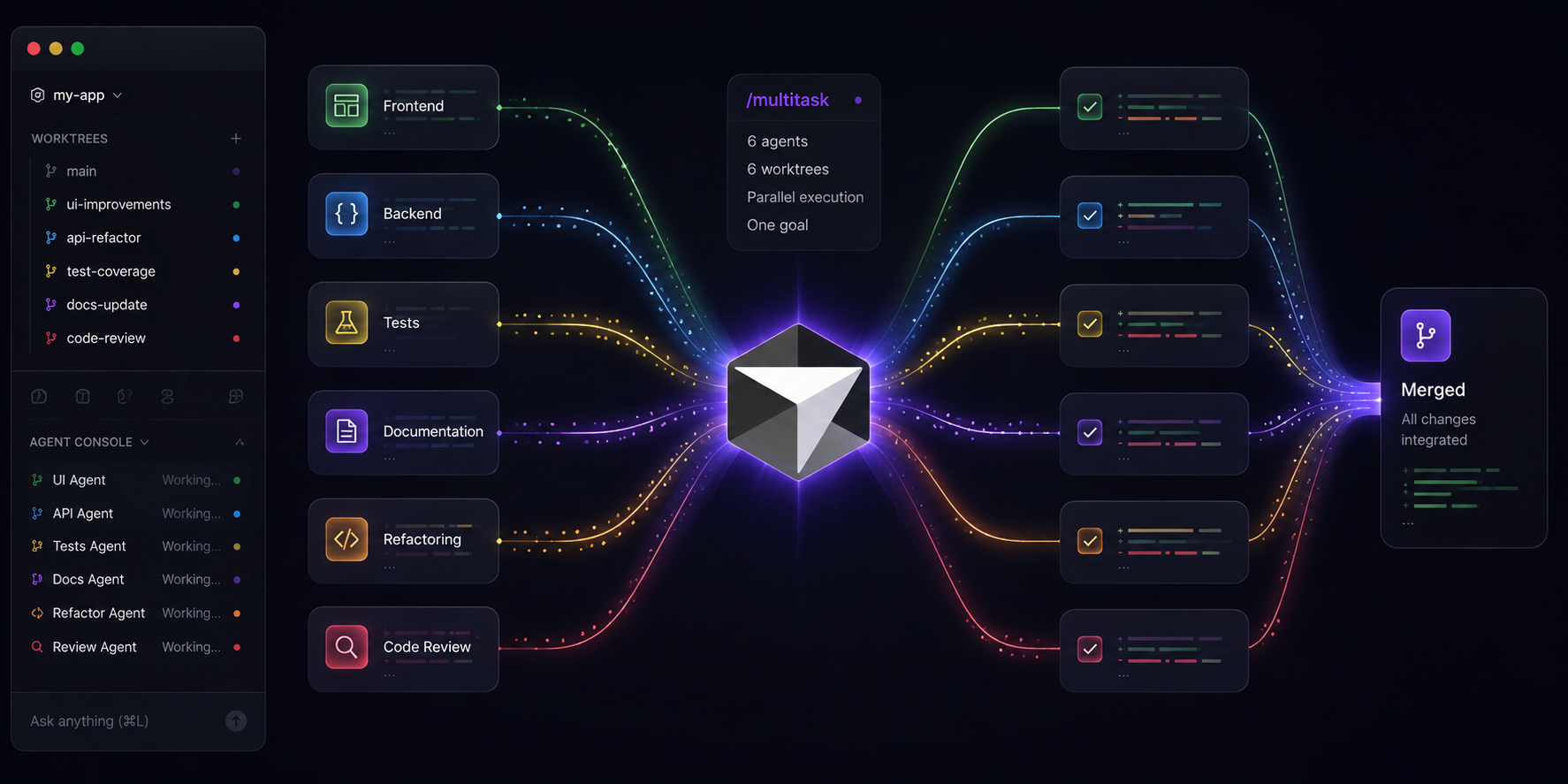
Cursor keeps accelerating. Over the past two months the editor has gone through a series of updates that change how you work with AI agents. The central addition is the /multitask mode, but it was accompanied by Canvas improvements, new SDK capabilities, and a significant speed-up of Bugbot. This article covers each of those changes and explains when it makes sense to use them.
Multitask Mode — Parallel Subagents from a Single Session
What Is /multitask?
Introduced on April 24, 2026 in Cursor 3.2, /multitask is a command available in the Agents Window. Instead of queuing requests for a single agent to process one by one, typing it causes Cursor to launch async subagents that work in parallel. A large task can be automatically broken into smaller chunks, each dispatched to its own subagent.
If messages are already waiting in the queue, you can ask Cursor to switch them to multitask mode — the subagents start immediately, without waiting for the current run to finish.
How It Works Under the Hood
Each subagent has its own context window. Only the final summary is returned to the parent agent, so the main session retains its full planning capacity and stays responsive to follow-up questions. Subagents use the same model as the parent by default (with exceptions for BYOK and per-request billing).
/multitask has two operating modes:
- Queue parallelisation — instead of running one after another, queued requests launch as background subagents simultaneously.
- Auto-decomposition — a single large request is split into logical chunks, each sent to a separate subagent.
What /multitask Adds Over the Existing Subagent Mechanism
An important clarification: Cursor could already spawn parallel subagents via the Task tool before /multitask existed — a parent agent could autonomously delegate independent subtasks to multiple subagents and wait for their results. /multitask does not introduce a fundamentally new mechanism; it changes the existing one in several concrete ways:
Queue-to-parallel conversion. Before /multitask, messages waiting in the queue were processed sequentially — one after the other. /multitask lets the user explicitly convert queued requests into parallel runs. Previously, achieving this required crafting a prompt that persuaded the agent to use the Task tool in the right way.
Subagents run in the background — the parent stays non-blocking. In the classic Task tool approach, the parent agent was typically blocked until subagents returned their results. With /multitask, subagents run asynchronously in the background and the parent immediately returns to being interactive — you can ask follow-up questions and queue new prompts while subagents are still working.
Auto-decomposition without complex prompting. Instead of constructing a prompt that steers the agent into splitting the task and calling the Task tool manually, you type /multitask and Cursor determines on its own how to divide the work into independent pieces.
"Build in Parallel" button in planning mode. When the agent generates an action plan, you can click "Build in Parallel" instead of "Build Locally" — Cursor automatically identifies the independent parts of the plan and runs them as parallel subagents.
| Aspect | Task tool (before) |
/multitask |
|---|---|---|
| Who initiates | Agent autonomously | User explicitly or via "Build in Parallel" |
| Parent during subagent work | Blocked | Interactive |
| Request queue | Sequential | Can be converted to parallel |
| Task decomposition | Agent must figure it out from the prompt | Automatic on /multitask invocation |
When to Use It — and When Not To
/multitask works best when a task has genuinely independent workstreams — for example, writing tests for several modules at once, generating documentation for different classes, or refactoring unrelated files. It also shines when you want work to proceed in the background while you continue asking questions.
Avoid it when tasks are tightly coupled and modify the same files — in that case, combine /multitask with worktrees (see below) or simply work sequentially.
Worktrees in the Agents Window (Cursor 3.2, April 24, 2026)
Alongside /multitask, Cursor 3.2 introduced an improved worktrees system directly in the Agents Window. A worktree is a separate git checkout on its own branch — each subagent can edit its own files without risking conflicts with other agents working at the same time.
When a subagent finishes, a single click promotes that branch to the foreground so you can test the changes locally. This pairs especially well with /multitask — subagents work on isolated branches, making merges straightforward and predictable.
Multi-root Workspaces (Cursor 3.2, April 24, 2026)
A single agent session can now target a workspace composed of multiple folders at once. In practice this means an agent can make cross-cutting changes spanning frontend, backend, and shared libraries simultaneously — without having to retarget itself every time it moves between repositories. The workspace can be saved as a reusable profile.
Canvas Design Mode and the Context Usage Report (Cursor 3.7, June 4, 2026)
Design Mode in Canvases
Cursor introduced a design mode directly inside Canvases. Instead of describing a change in words — "move the chart legend to the right" — you click the UI element inside the Canvas, annotate it, and send that as a direct instruction to the agent. The mode works analogously to browser inspection tools.
This shortens the iteration loop when editing dashboards, reports, and internal tools generated by the agent.
Context Usage Report
Cursor can now display an interactive token usage report directly as a Canvas. The report breaks consumption down into categories: system prompt, tool definitions, rules, skills, chat history, and more. Because the output is a Canvas, you can ask follow-up questions — for example "which rule consumes the most context on TypeScript files" — and the agent adjusts the visualisation accordingly.
The Debug with Agent button opens a new conversation in which Cursor suggests concrete ways to reduce context usage.
Other Canvas improvements from the same update:
- Shared Canvases can now be opened full-screen in the browser, making them easier to present to others.
- Agents can embed clickable buttons in Canvases that execute a specific prompt when clicked.
- Improved type-error fixing inside Canvases.
- Extended component styling options and additional chart customisation.
Bugbot — 3× Faster, 22% Cheaper, More Bugs Found (June 10, 2026)
Bugbot received a substantial upgrade:
- Average review time dropped from roughly 5 minutes to ~90 seconds.
- The cost per run fell by 22%.
- Bug detection improved by 10% — from an average of 0.56 to 0.62 bugs per review.
The gains are made possible by migrating Bugbot to Composer 2.5.
New Bugbot Capabilities
/review before pushing — you can now run Bugbot and Security Review with the /review command before pushing code. Cursor asks which agents to run, or you can call them directly with /review-bugbot and /review-security. /review also syncs with Bugbot on GitHub and GitLab — if you open a PR with the same diff, Bugbot recognises it, skips the review, and leaves a comment noting it already reviewed that diff.
Review only what's new — Bugbot can now be configured to review only what has changed since the last review, keeping feedback focused on your latest updates instead of re-examining the entire PR.
Cursor SDK Updates (SDK 3.7, June 4, 2026)
For developers building automations and CI/CD pipelines on top of Cursor:
Custom tools (customTools) — you can now register your own functions as tools available to the agent, without hosting a separate MCP server. Tools are automatically inherited by all subagents in the session.
Auto-review for headless mode — the local.autoReview option routes tool calls through a classifier that decides which require confirmation and which can run automatically. Useful for scripts with no human in the loop.
JSONL store and custom stores — until now, agent and run metadata was stored in SQLite. You can now opt for a JSONL store (JsonlLocalAgentStore), which writes data to a plain text file that is easy to diff and check into version control.
Nested subagents — subagents can now spawn their own subagents to any depth.
Summary
Cursor 3.2 and 3.7 push the editor toward fleet-style work — instead of a single agent working sequentially, the typical pattern is becoming a coordinator that delegates subtasks to parallel subagents. The /multitask mode is the simplest entry point into that model, while worktrees and multi-root workspaces eliminate the most common sources of conflict during parallel work. Canvas Design Mode and the context usage report shorten iteration loops at the artefact level, and a faster Bugbot lowers the cost of automated quality control.
References
- Cursor changelog — Multitask, Worktrees, and Multi-root Workspaces (3.2, 24.04.2026)
- Cursor changelog — Canvas Design Mode and Context Usage Report (3.7, 04.06.2026)
- Cursor changelog — Custom stores, custom tools, and auto-review for the Cursor SDK (04.06.2026)
- Cursor changelog — Bugbot is now over 3× faster, 22% cheaper, and finds 10% more bugs (10.06.2026)
- Cursor changelog — full list of updates
- Cursor Forum — /multitask in Agents Window (discussion)
- AgentPatterns.ai — Cursor /multitask: Async Subagent Dispatch in the Editor
- DigitalApplied — Cursor 3: Agents Window, Cloud Agents, and What Changed