UV — a fast Python package and environment manager (tutorial)
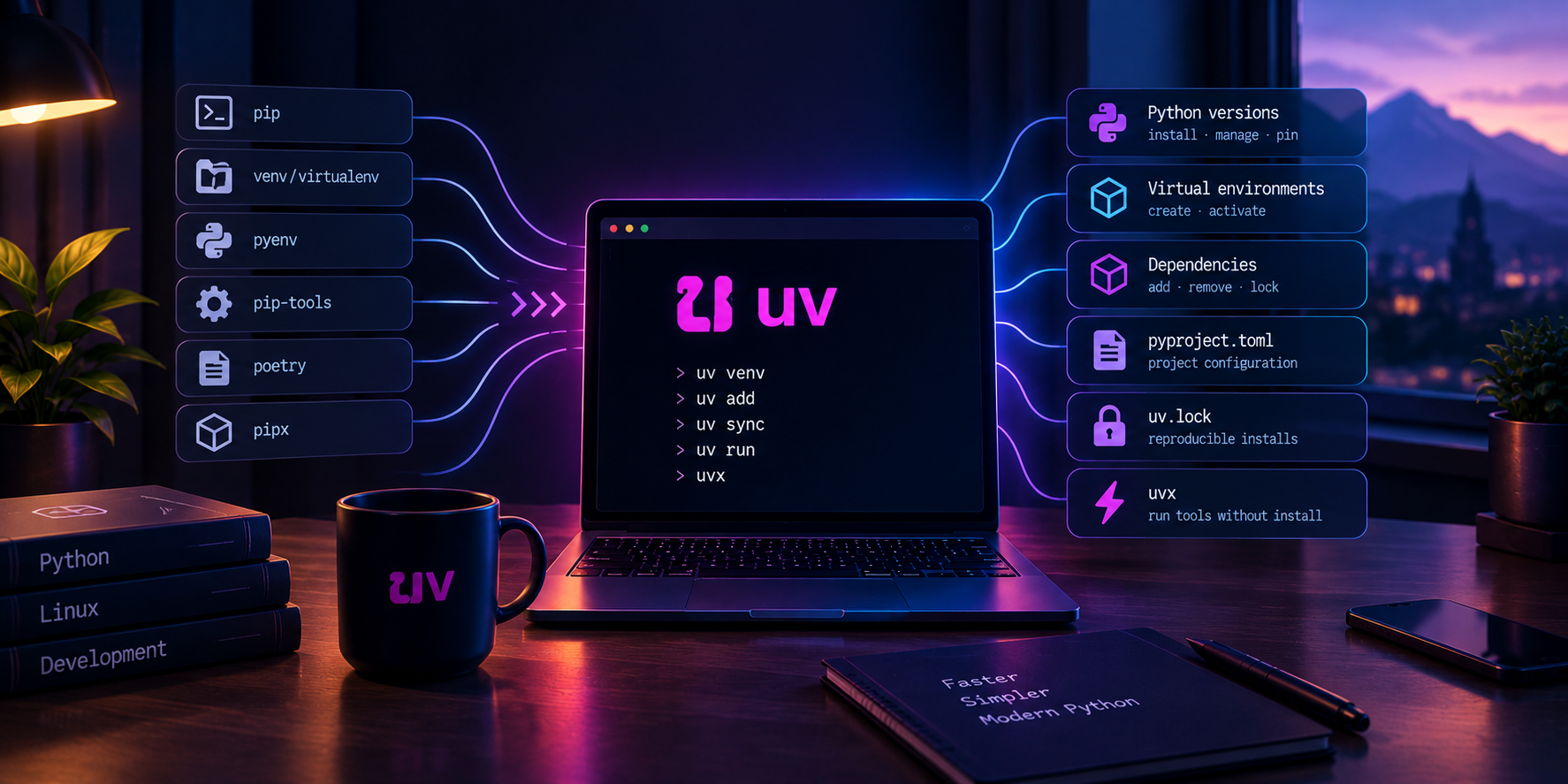
uv is a Python manager written in Rust by Astral (the creators of ruff). In a single tool it replaces what used to require several: pip, venv/virtualenv, pip-tools, pyenv, pipx, and to a large extent poetry as well. Its hallmark is speed — installs and dependency resolution are typically an order of magnitude faster than with pip, thanks to aggressive caching and parallelism.
This article is a practical tutorial: what to install, how to set up an environment for a repository, what uv offers, and what to watch out for.
Why use it
- One tool instead of five — Python, virtual environments, packages, CLI tools, lockfile.
- Speed — a global, shared cache and hard-linking of files make repeat installs nearly instantaneous.
- It also installs the Python interpreter itself — you don't need a "system" Python of a given version;
uvdownloads a standalone build (e.g. 3.12) without touching the system. - Ecosystem compatibility — it can act like
pip(theuv pipinterface) and readrequirements.txtandpyproject.toml.
Installation
Official installer (Linux/macOS):
curl -LsSf https://astral.sh/uv/install.sh | sh
Alternatives:
# via pipx
pipx install uv

# macOS (Homebrew)
brew install uv
Verification and update:
uv --version
uv self update
uv installs into the user's directory (e.g. ~/.local/bin), so it does not require administrator privileges.
Managing Python versions
uv can download and switch interpreters independently of the system — this is a big advantage.
uv python list                 # available and installed versions
uv python install 3.12         # download a standalone CPython 3.12
uv python install 3.11 3.13    # several at once
uv python pin 3.12             # write .python-version for this project
uv python pin creates a .python-version file, which uv honors when creating environments — a good way to make the whole repo use a consistent version.
Real-world example: the system only had Python 3.14, while the cloned repo required 3.12. Running
uv python install 3.12was enough, and the environment was created on the right version — without installing anything "on the system".
Two ways of working
uv supports two styles worth distinguishing:
- "pip-compatible" mode (
uv venv+uv pip …) — you stay close to classicpip/venv, just faster. Ideal for existing repositories and a quick start. - Project mode (
uv init/uv add/uv sync) —uvmanagespyproject.tomland theuv.lockfile, giving full, reproducible project handling (the equivalent ofpoetry).
Both are covered below.
Quick start: an environment for a cloned repo (pip mode)
The most common scenario — you have a cloned repo and want to run it locally.
cd my-repo

# 1. Create a virtualenv (defaults to .venv) on a chosen Python version.
uv venv --python 3.12

# 2. Install dependencies. Pick whichever matches the repo:
uv pip install -r requirements.txt          # classic requirements file
uv pip install -e .                          # editable install from pyproject/setup
uv pip install numpy pandas "astropy~=7.1"   # explicit packages

# 3. Run things (either activate, or call binaries directly)
source .venv/bin/activate                    # optional
uv run python -m pytest                       # runs inside the project env
A few useful uv pip install variants:
# Install a wheel from a custom index (e.g. a project-specific wheel host)
uv pip install --find-links https://example.org/wheels "somepkg==1.2.3"

# Use an alternative package index
uv pip install --index-url https://my.mirror/simple/ requests
Real-world example: in a project using
wxPython(which has no regular wheels on PyPI for Linux),uv pip install --find-links <wheel-index> "wxPython==4.2.3"worked together with the remaining dependencies — one command, no compiling from source.
By default the environment is created in .venv inside the project directory — convenient for editors (see the VS Code section).
Project mode: uv init, add, sync, run
When you start a new project or want full reproducibility:
uv init my-project        # scaffold: pyproject.toml, .python-version, README, src/
cd my-project

uv add requests           # add a dependency (updates pyproject.toml + uv.lock)
uv add --dev pytest ruff  # dev-only dependencies
uv remove requests        # remove a dependency

uv sync                   # make the env match uv.lock exactly
uv lock                   # regenerate the lockfile from pyproject.toml

uv run pytest             # run a command in the project env (auto-syncs first)
uv run python app.py
The key files:
pyproject.toml— declared dependencies and project metadata.uv.lock— exactly pinned versions (commit it; it guarantees an identical environment for everyone)..python-version— the pinned interpreter version.
uv run is crucial here: before running a command, uv makes sure in the background that the environment is in sync with the lock — you don't need to activate the venv manually or remember to run uv sync.
Working with existing projects (pip / requirements / poetry)
requirements.txt—uv pip install -r requirements.txt. To generate and "pin" versions, useuv pip compile:
bash
  uv pip compile requirements.in -o requirements.txt   # resolve and pin
  uv pip sync requirements.txt                          # make env match exactly
pyproject.toml(PEP 621) —uvreads it natively:uv syncoruv pip install -e ..- Poetry project — if
pyproject.tomluses the[tool.poetry]section, you can still use pip mode (uv venv+uv pip install <dependencies>), and eventually consider migrating the metadata to the standard[project]table, whichuvfully supports.
Global tools: uv tool and uvx (a pipx replacement)
For installing CLI tools in isolation (like pipx):
uv tool install ruff        # install a CLI tool globally, isolated
uv tool list                # list installed tools
uv tool upgrade --all

uvx ruff check .            # run a tool ephemerally, without installing it
uvx black@25.1.0 .          # pin a specific version for a one-off run
uvx is a shortcut for "download and run on the fly" — great for one-off tasks without cluttering the system.
Lockfile and reproducibility
In project mode, uv.lock ensures that everyone (and CI) gets identical versions.
uv lock                 # create/refresh the lockfile
uv sync                 # install exactly what the lock says
uv sync --frozen        # fail if the lock is out of date (good for CI)
uv sync --no-dev        # production install without dev dependencies
Rule of thumb: commit uv.lock for applications. For libraries, usually not (a library shouldn't impose exact versions on its users).
VS Code / editor integration
- Create the environment as
.venvin the project directory (the default foruv venv) — editors detect it automatically. - In VS Code, select the interpreter:
Ctrl+Shift+P → "Python: Select Interpreter" → ./.venv/bin/python. - It's worth pointing tasks and launch configurations directly at
.venv/bin/…(.venv/bin/python,.venv/bin/ruff), so they work regardless of whether the terminal has an active venv. - If terminal auto-activation is unreliable, you can force it with a custom terminal profile (
bash --init-file) that sources.venv/bin/activateitself.
Command cheat sheet
| Command | What it does |
|---|---|
uv python install 3.12 |
download a Python interpreter |
uv venv --python 3.12 |
create .venv on a given version |
uv pip install <pkg> |
install a package (pip interface) |
uv pip install -r requirements.txt |
install from a requirements file |
uv pip compile req.in -o req.txt |
resolve and "pin" versions |
uv init |
start a new project |
uv add / remove <pkg> |
add/remove a dependency (project) |
uv sync |
match the environment to uv.lock |
uv lock |
generate/refresh the lockfile |
uv run <cmd> |
run a command in the project environment |
uv tool install <cli> |
install a CLI tool globally |
uvx <cli> |
run a tool one-off |
uv cache clean |
clear the cache |
uv self update |
update uv |
Pitfalls and best practices
uv pip installis notpip"on the system" — it installs into the active (or specified) environment, not globally. That's a good thing, but it can be confusing for people used topip installwithout a venv.- Specify the environment explicitly when you have no active venv:
uv pip install --python .venv/bin/python …. - Commit
uv.lock(applications) and.python-version— they are the foundation of reproducibility. - The cache is global — repeat installs are fast; when you run low on disk space, use
uv cache clean. - Hard-linking works best when the cache and the project are on the same filesystem; otherwise
uvwarns and copies (you can force this with--link-mode=copy). - Don't needlessly mix
uv pip(pip mode) withuv add/uv sync(project mode) in one project — pick one way of working.
Summary
uv reduces working with Python to a few fast commands: it downloads the interpreter, creates the environment, installs dependencies and runs code, and in project mode provides a reproducible uv.lock. To start, uv venv + uv pip install is enough; when you need full control and repeatability — move to uv init/uv add/uv sync/uv run. In practice it replaces pip, venv, pyenv and pipx, and often poetry too — with noticeably shorter waiting times.