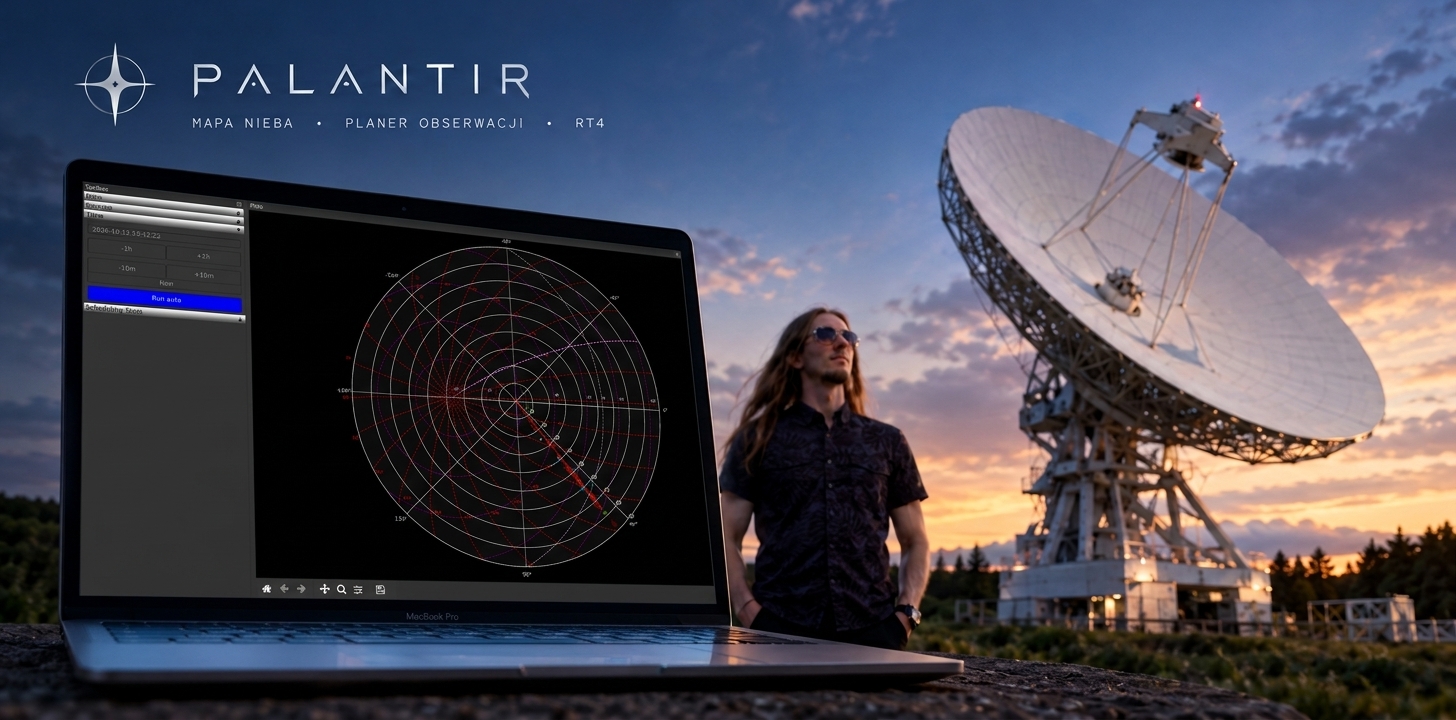
Palantir — an interactive sky map and observation planner for the RT4 radio telescope
Introduction
The RT4 radio telescope in Piwnice near Toruń has a 32-metre dish and is the largest radio telescope in Poland. It works practically around the clock, and hundreds of sources from several science projects are waiting in the queue to be observed.
An operator sitting at the telescope in the middle of the night has to answer a few questions quickly:
- What is above the horizon right now, and how high?
- What is worth observing, that is, which sources are "due" for another observation and which were done yesterday?
- Where is the antenna pointing, and how long will it take to slew to the next target?
- How many sources will fit in the time left until the end of the project's time window?
When I worked at the Department of Radio Astronomy, the answers came from notes, tables and the observer's experience. So I wrote Palantir: a program that shows all of it on a single screen.
About the project
Palantir is a desktop application written in Python. It draws the current sky map above the observatory, plots the sources from the project catalogues on it, shows the position of the RT4 antenna live and helps to build an observation plan.
The first commit dates from February 2018. Since around May 2018 the program has been in daily use at the observatory: it runs 24 hours a day as a view of the radio telescope's position and is the basic tool for planning observations. I have not been a full-time employee of the Centre for Astronomy for over four years, but I still take part in observations there once every week or two, and all this time I have been maintaining and developing Palantir (along with many other programs of mine, smaller and larger, that run there).
[!NOTE]
The source code is not public. I am in the middle of refactoring it to newer standards and I plan to release it one day, probably together with a paper in a scientific journal. This article describes the program's features, architecture and design decisions.
Key features
🗺️ Sky map in two projections
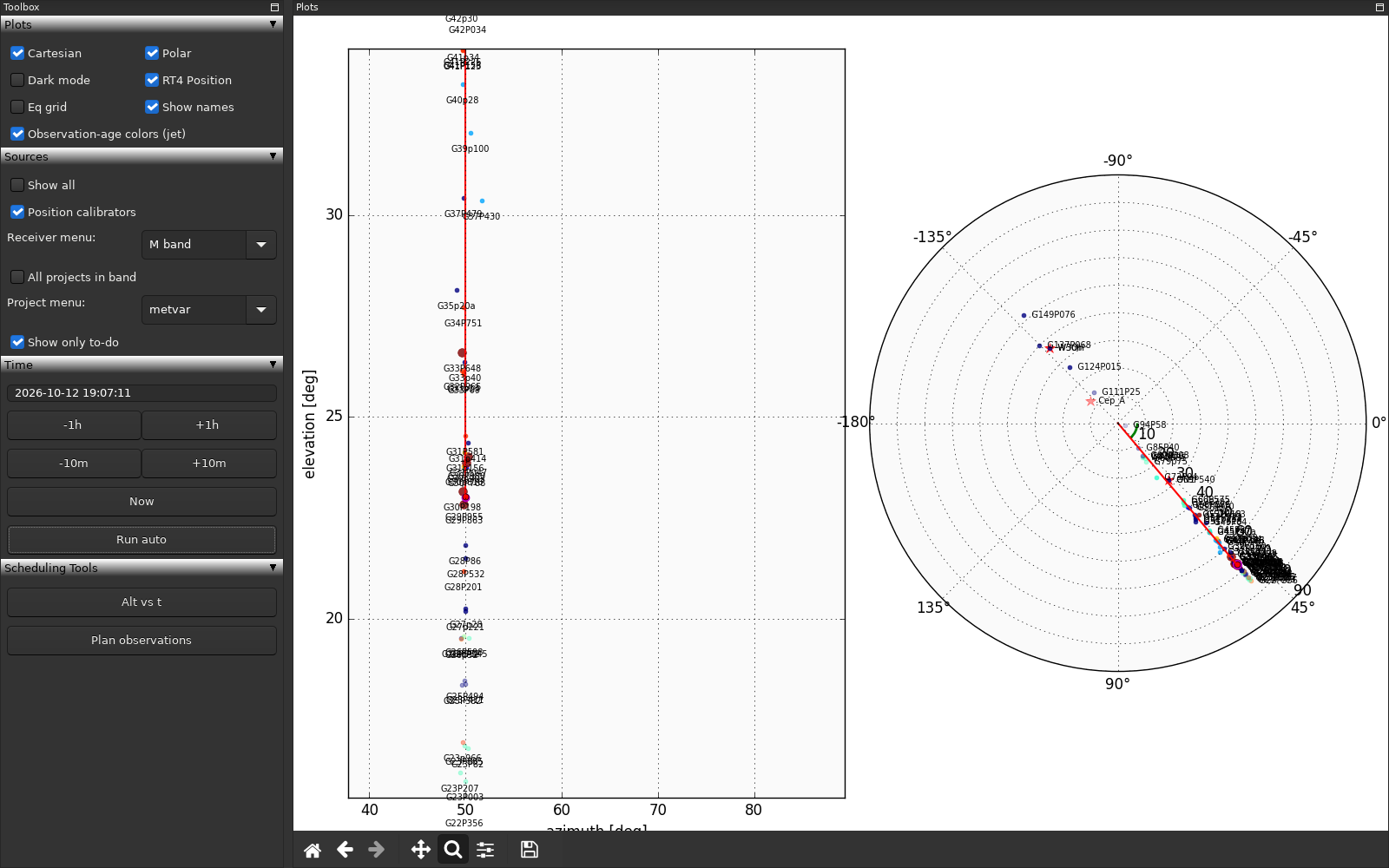
The heart of the program is a sky map computed for the observatory's coordinates. Two projections are available, separately or side by side:
- Cartesian (azimuth and altitude), convenient for judging how high the sources are above the horizon,
- polar, a view "from the zenith" that matches the way the antenna actually moves.
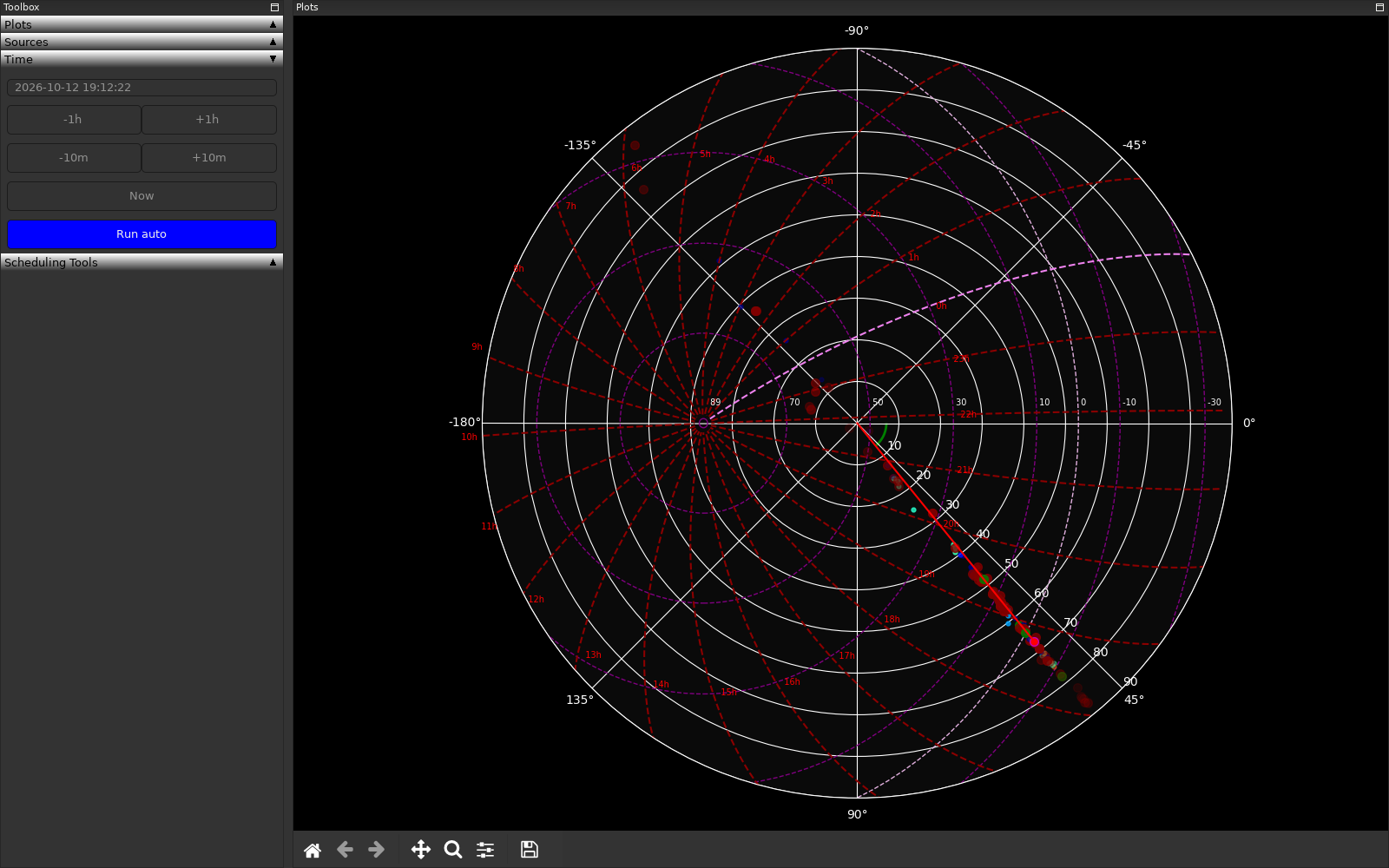
The map can be overlaid with an equatorial coordinate grid (right-ascension meridians and declination parallels), as well as the Sun and the Moon. Sources low above the horizon are drawn more and more transparent. There is also a dark mode, useful in the control room at night.
📡 Live radio telescope position
The RT4 control system broadcasts its status on the local network as UDP datagrams. Palantir receives them in a separate thread and plots on the map:
- the actual antenna position (a red marker with a line),
- the commanded position, the place the antenna is currently moving to,
- an arc showing the antenna's current azimuth together with its sign.
One glance is enough to see what the telescope is looking at, where it is heading and what lies along the way. This is the role in which the program runs at the observatory without a break.
🎯 Tracking mode (--track)
Starting the program with the --track switch gives a ready-made "duty screen": dark mode, the polar map with the equatorial grid, automatic time refresh and the antenna position visible. It is the configuration for a monitor that simply hangs in the control room.
📚 Source catalogues and filters
The sources come from plain text files, one per project, so that fellow scientists can easily supply the positions of their sources. Each catalogue has a header (project, observing software, band), and each source has: coordinates, radial velocity, the number of observation cycles, and the minimum and maximum interval between observations in days.
In the side panel the operator selects:
- the receiver band (L, C, M, X, K or continuum),
- a specific project, or all projects in the band,
- position calibrators,
- the "to-do only" mode.
Clicking a source on the map selects it and prints its parameters: the script name, the number of cycles, the date of the last observation and the number of days since then.
🌈 What is "to do": colours by observation age
Palantir knows the observation history of every source and compares it with the intervals stored in the catalogue:
- sources observed too recently disappear from the map,
- one-off sources disappear after their first observation,
- the others get a colour on a scale from blue to red, depending on how close they are to the end of their window,
- sources never observed or overdue are highlighted with a more prominent marker.
The operator does not have to remember anything or check any tables. The map itself shows what is urgent.
🗄️ Automatic observation log
The history is not entered by hand. A separate, small TCP server runs at the observatory as a system service. The program that archives observations on another computer (tartar, another program of mine) sends it a single message after every completed observation (time, software, receiver, project, source), and the server stores it in an SQLite database. Palantir reads from the same database, so the map updates itself. The database has been collecting observations since 2020.
⏱️ Time navigation
The map can be viewed for any moment: you can type in a date and time, shift the time with buttons (±10 minutes, ±1 hour), go back to "now" or turn on automatic refresh. This makes it possible to check what the sky will look like in three hours without doing any mental arithmetic.
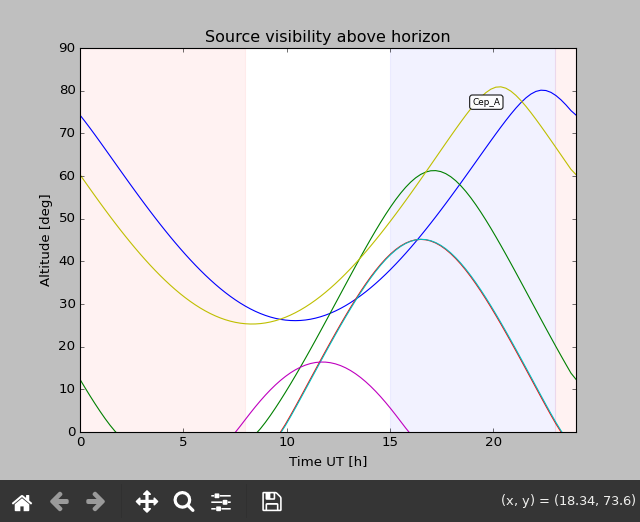
📈 Source visibility plot
For the selected source the program plots its altitude above the horizon as a function of time over a full day. Hovering the cursor over a curve shows the source name, so several objects can be compared on a single plot.
🗓️ Step-by-step observation planning
The planner lets you build a schedule directly on the map. The operator clicks a source and adds it as the next step, and the program:
- estimates the observation time from the number of cycles and the mode in which the source is observed,
- estimates the antenna slew time from the previous position,
- moves the map clock to the end of that step, so the next source is chosen on the sky as it will be once the previous observation has finished.
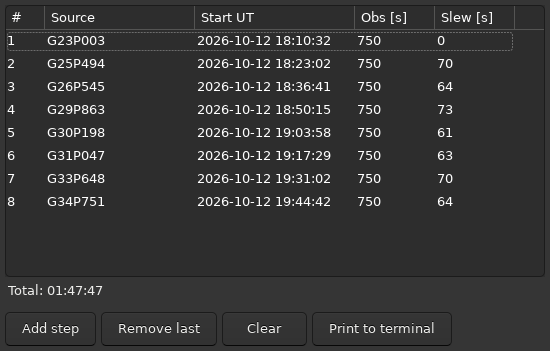
The plan appears in a separate window as a table with the start time, observation time and slew time of every step, plus the total. The finished plan can be printed to the terminal together with a shell snippet that concatenates the observing scripts of the selected sources into a single file ready to run.
🌍 Multilingual interface and a remembered window layout
The interface is available in Polish, English and Spanish. The window is built from dockable panels that can be freely rearranged and resized. The layout is remembered between runs.
Architecture and technology stack
| Layer | Technologies | Responsibility |
|---|---|---|
| Interface | wxPython (AUI, FoldPanelBar), matplotlib embedded in wx | Dockable panels, sky map, plots, plan window |
| Logic | Python 3.12, dataclasses, pure functions | Map projections, observation-plan model, time estimators |
| Astronomy | astropy, PyEphem, NumPy | Coordinate transformations, time, positions of the Sun and the Moon |
| Data | SQLite, pandas, plain-text catalogue files | Observation log, source catalogues |
| Network | UDP and TCP sockets, threads | Receiving the RT4 status, observation-log server |
| Configuration | python-dotenv, argparse | Observatory coordinates, addresses, language, operating mode |
| Quality | pytest, ruff, black, uv | 156 unit tests, linting, reproducible environment |
| Deployment | Docker, systemd | Container with the GUI on the host desktop, log server as a service |
A few decisions I consider worth describing:
- Logic separated from the GUI. The map projections and the whole observation-planning model are modules with no wx or matplotlib imports at all. This makes them testable without a display, and the tests take a few seconds.
- Threads without freezing the interface. UDP reception and automatic time refresh run in worker threads, and all GUI changes return to the main thread through my own decorators.
- Configuration outside the code. The observatory coordinates, network addresses, paths and language live in a
.envfile, so the same code runs on the operator's workstation and on a developer's laptop. The program can easily be adapted to another observatory. - Refactoring a running system. The program was created when I was a scientist who wrote code. After nearly five years of commercial work I am rewriting it to the standards I expect of myself today: typing, tests, linting, a clear division into modules. I do it in stages, because the program has to keep working at the observatory the whole time, and I do have plenty of other things to do: this project is not commercial.
Palantir in numbers
- 2018: first commit, in production after about 3 months of intensive work
- 24/7: operating mode as a view of the radio telescope's position
- 6 receiver bands, a dozen or so project catalogues
- about 5,000 lines of code, 156 tests, 150 commits
- 3 interface languages
Development plans
- [x] Move to modern tooling (uv, ruff, pytest)
- [x] Separate the logic from the GUI layer and cover it with tests
- [x] Multilingual interface
- [x] Deployment in a container
- [ ] Finish refactoring the sky-map layer
- [ ] Release the code publicly
- [ ] A paper describing the program in a scientific journal